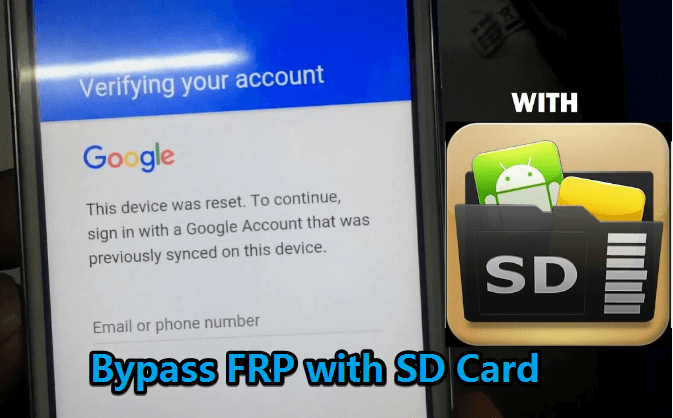
Bypass FRP with SD card is one of the methods but is not a guaranteed and easy one. While LockWiper (Android) is one of the best ways to bypass your FRP because it comes with almost no error or risk and can be the safest and easiest way to utilize in this regard.
Can you unlock a locked SD card?
There is a Lock switch on the left side of the SD card. Slide the Lock switch UP to the unlock position. IMPORTANT: Add, change or remove content on the card cannot be done if locked.
Is it possible to remove Google FRP lock?
Yes, it is possible to remove Google lock, also known as Factory Reset Protection (FRP) lock, from a device. You can use LockWiper(Android) to bypass Google lock on Android devices, even if you don’t have password.
Does Odin flash remove FRP?
Odin is an advanced mobile phone software that can easily unlock Samsung mobile devices by bypassing Factory Reset Protection (FRP). Odin FRP bypass flashes smartphones with a custom ROM, which, in turn, will update its system accessibility.
Is FRP bypass permanent?
Most methods available for bypassing the FRP lock are temporary and might not provide a long-term solution. These methods often involve using third-party tools or software that exploit vulnerabilities in the Android operating system.
Is there a free Frp unlock tool?
GSM Flasher ADB Bypass FRP Tool GSM Flasher ADB Bypass FRP Tool helps in removing the Google FRP lock on your android smart device by using the ADB (Android Debug Bridge) mode. By using ADB, it lets you communicate with your device and perform multiple functions like installing apps or debugging the device.
Does flashing ROM bypass FRP?
For this model you can flash many official ROM versions. Be aware there is downgrade protection for bootloader and flashing another ROM does not remove FRP lock. Only the methods for by-pass FRP may vary.
Can I flash Odin without unlocking bootloader?
No, you can’t do that. When you have not unlocked the bootloader the android system will not accept the files being flashed using Odin.
Does flashing new firmware remove FRP?
Combination firmware contains factory images you can flash to completely wipe and restore a phone. This removes any previous accounts and FRP locks in the process. Here are the steps: Find the correct combination firmware for your phone model.
Does Odin wipe data?
None of your internal storage files i.e. Photos, Music, Videos, Docs etc., will not be removed until you do a repartition of the device using Odin. Your phone will be restored to perfect condition; just that all your personal information will be gone such as contacts that were on the phone storage and apps.
How to unprotect an SD card?
Check the Physical Write Protection Switch Make sure this switch is set to the “unlocked” position: Locate the Switch: The switch is usually on the side of the SD card. It might be labeled with a padlock icon. Move the Switch: Slide the switch to the “unlocked” position.
How to remove forgotten password from memory card?
A. There is no way to recover the forgotten memory card password (Yes for some old smartphones). B. There is no way to recover data unless the memory card is in the same phone using which you have set the lock code and you have not updated/reinstalled/restored your phone, but you can format the memory card for reuse.
How do I turn off SD card lock?
SD cards have a write lock. This is a switch on the side of the card. The DOWN position is write protect ON and the UP position is write protect OFF. To use the device in a camera the position of the switch must be UP.
How to unlock SD card password in Android?
Unlock SD card with password on Android Go to the Settings app and tap on Lock screen and security. On the bottom, tap on Decrypt SD Card. Tap on DECRYPT SD CARD and enter your password. Wait for the process to finish.
How do I remove SD card encryption from my Android?
Step 1: Insert the SD card into a Samsung phone device(or any other android phone) and restart the phone. Step 2: Go to the phone settings and click the Lock screen and security. Step 3: Scrow down and choose the Decrypt SD card option.
Can the FRP lock be bypassed?
Using FRP Removal Apps There are some dedicated Windows and Android apps that can generate unlock codes to bypass FRP: FRP Bypass Assistant – Connect your locked device via USB and run this app. Click on Remove FRP and the app will automatically send unlock codes and ADB commands to disable FRP.
What is easy FRP bypass?
FRP (Factory Reset Protection) is a security feature that is designed to prevent unauthorized access to a device after it has been reset to its factory settings. It is a feature that is commonly found in Android devices. FRP unlock is the process of removing this security feature from an Android device.
What is the best tool to remove FRP from Samsung phone?
The best Samsung FRP bypass tool for PC is Tenorshare 4uKey for Android. It is a safe, reliable, and easy Samsung FRP tool that seamlessly removes the FRP Lock from your Samsung device in minutes.
What is the FRP code?
Factory Reset Protection (FRP), is a security feature on Android devices with Android OS Version 5.1 (Lollipop) and higher. The FRP provides a built-in security feature you are able to use that protects your device and information, including screen locks and data encryptions.
Does flashing ROM delete everything?
If you are flashing any custom rom through recovery mode, just your system and App data will get erased, it will not affect your internal storage or sd card… but if you are gonna flash stock rom through SP Flash tools, then it will completely wipe your system data along with the internal storage.
Can you remove a Google locked phone?
A Google-locked phone can be unlocked. You can unlock an Android phone with a Google account and password in a few clicks. You can either attempt to find the password. Also, there are ways to unlock your Android phone without a Google account or unlock it by removing the previously synced Google account.
Is there any other way to unlock bootloader?
Once in the bootloader mode, to unlock the bootloader and enable partitions to be reflashed, run the fastboot flashing unlock command on the device. After setting, the unlock mode persists across reboots.
Can I install TWRP without unlocking bootloader?
On any Android device, you have to first unlock the bootloader to install TWRP Recovery. Again, each and every device has a different method of unlocking the bootloader. Some may have a complex method while some bootloaders can be unlocked by going to developer settings in the Android Settings.
Can I root without unlocking bootloader?
Simple answer is: It should not be possible to root Android devices without unlocking bootloader, but is possible for some devices due to security vulnerabilities or bad security implementations.
What is the emergency code for FRP bypass?
Type one of the FRP bypass codes (*#813# or *#812#) on the dialer and tap on the “Dial” button.
How to disable frp lock on Samsung?
How to Turn Off Factory Reset Protection on Android. Factory Reset Protection will be automatically set up once you add a Google account on your Android phone. If you want to turn off FRP, you need to remove all Google accounts you used on your smartphone before resetting the system to the factory settings.