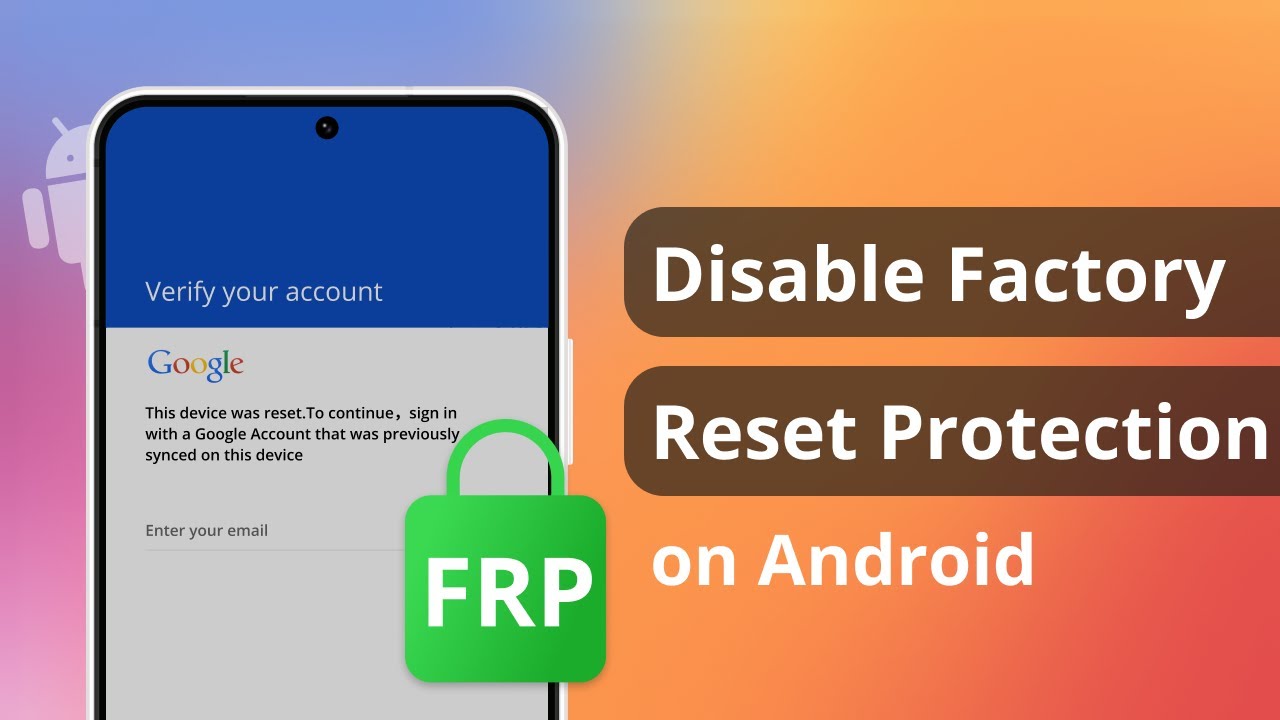
Fix the Factory Reset Protection Bypass Issue via Google Keyboard. If your Android device is not a Samsung phone and you get locked out of it due to the FRP lock, then you can bypass the FRP lock via Google Keyboard. However, this method is available for Android 6 or later. Make sure your Android version is applicable.
Can factory reset protection be bypassed?
Fix the Factory Reset Protection Bypass Issue via Google Keyboard. If your Android device is not a Samsung phone and you get locked out of it due to the FRP lock, then you can bypass the FRP lock via Google Keyboard. However, this method is available for Android 6 or later. Make sure your Android version is applicable.
Can the FRP lock be bypassed?
Using FRP Removal Apps There are some dedicated Windows and Android apps that can generate unlock codes to bypass FRP: FRP Bypass Assistant – Connect your locked device via USB and run this app. Click on Remove FRP and the app will automatically send unlock codes and ADB commands to disable FRP.
Why is my phone asking for Google account after factory reset?
For phones with Android 5 Lollipop or higher, Device Protection may be enabled, which means that after the factory reset, you’ll need to sign in using the same Google Account that was logged into on your phone.
Can it still be hacked after factory reset?
Viruses may remain after a factory reset Some instances where viruses don’t get removed by a factory reset are: 1. You may have rootkit malware on your iOS or Android device. This malware will give administrator access to hackers without your knowledge.
Can police recover after factory reset?
The police cannot recover anything from a factory reset device. This is why the police are so cautios as to retrieve devices without you touching them, or giving you the opportunity to reset them (early raids, not divulging the reasons for their visits until they’re inside, etc).
How do I remove Google Smart Lock after factory reset?
Learn more. To disable Google Smart Lock, open Google Chrome on your device and go to settings. Tap on Passwords and turn off Save Passwords and Auto sign-in.
Is there a free Frp removal tool?
GSM Flasher ADB Bypass FRP Tool is a reliable software developed for FRP bypass on various Android devices. This FRP tool uses the Android Debug Bridge (ADB) mode to execute FRP bypass, allowing users to regain access to their locked devices, making it a popular choice for FRP-related issues. Free-to-use.
Is FRP bypass permanent?
Most methods available for bypassing the FRP lock are temporary and might not provide a long-term solution. These methods often involve using third-party tools or software that exploit vulnerabilities in the Android operating system.
Can Google FRP be removed?
Yes, it is possible to remove Google lock, also known as Factory Reset Protection (FRP) lock, from a device. You can use LockWiper(Android) to bypass Google lock on Android devices, even if you don’t have password.
Can root remove FRP?
No need to root to remove FRP. You need professional tools like Octopus FRP box. That will remove FRP.
Does factory reset remove Google lock?
In most cases, a factory reset does not remove the activation lock from the device. For example, if a phone is factory reset with the Google account logged in, the phone will still ask for those credentials once switched back on.
Can malware bypass a factory reset?
Malware will generally be removed by resetting your system to factory default settings. Some malware can infiltrate your operating system or firmware, however, so it’s wise to thoroughly scan your device and be wary of attack vectors that could lead to reinfection.
Is FRP bypass safe?
Yes, it is possible to remove the Google FRP lock in some cases. However, the methods vary depending on the device model and Android version. It’s important to note that bypassing FRP may violate Google’s terms of service and could potentially harm your device.
How do I turn off Microsoft reset protection?
To turn off Reset Protection, go to Settings > Find my phone,and turn off Reset Protection.
Does factory reset remove security lock?
In most cases, a factory reset does not remove the activation lock. For example, if the phone is factory reset with the Google account still signed in, it will still ask for those credentials once it turns back on. It’s safer to remove the account before performing a factory reset to ensure it is fully removed.
Can spyware survive a factory reset?
Still, a factory reset can be an effective strategy to use against many types of malware. However, it may not cure everything. For example, performing a factory reset can’t remove hackers from your online accounts or destroy malware that has attached itself deeply in your device’s hardware or system files.
Can anyone access my data after factory reset?
Once a factory reset has been performed, the data is typically deemed irretrievable. This is because the reset process involves overwriting the storage space with new data, effectively erasing the previous information.
Is A factory reset permanent?
A factory data reset erases your data from the phone. While data stored in your Google Account can be restored, all apps and their data will be uninstalled.
Is it irreversible to factory reset?
Factory Resetting a mobile device is not reversible.
Will a factory reset stop a hacker?
If all else fails, you can perform a factory reset on your device. Before doing so, back up your important files, as a factory reset will wipe all of your files and personal data from your phone’s internal storage. On the plus side, a factory reset will also remove any malicious files a hacker may have been using.
How to block factory reset on Android?
Disable Factory Reset on Android To prevent device users from initiating a factory reset on Android devices, navigate to „Restrictions” > „Safety” > „Factory Reset” and disable this feature.
Will factory reset remove Android lock?
In most cases, a factory reset does not remove the activation lock. For example, if the phone is factory reset with the Google account still signed in, it will still ask for those credentials once it turns back on. It’s safer to remove the account before performing a factory reset to ensure it is fully removed.
Will factory reset remove password?
A complete factory reset will allow you to save your data and remove all links to the phone, including passwords, credit card information, paired devices and any other sensitive information. Here’s everything you need to know about factory resetting iPhones and Androids.
Is it possible to remove Google FRP lock?
Download and install LockWiper(Android) on your computer. Connect your Android phone to the computer using a USB cable. Launch LockWiper(Android) and select „Remove Google FRP Lock”. Select your Android phone model from the list and click „Start”.
Does FRP bypass work?
Bricking your device: If you attempt to bypass FRP using an incorrect method, you could damage your device’s software and render it unusable. Losing your data: Bypassing FRP may erase your data from the device. Security vulnerabilities: Bypassing FRP may leave your device vulnerable to malware and other attacks.