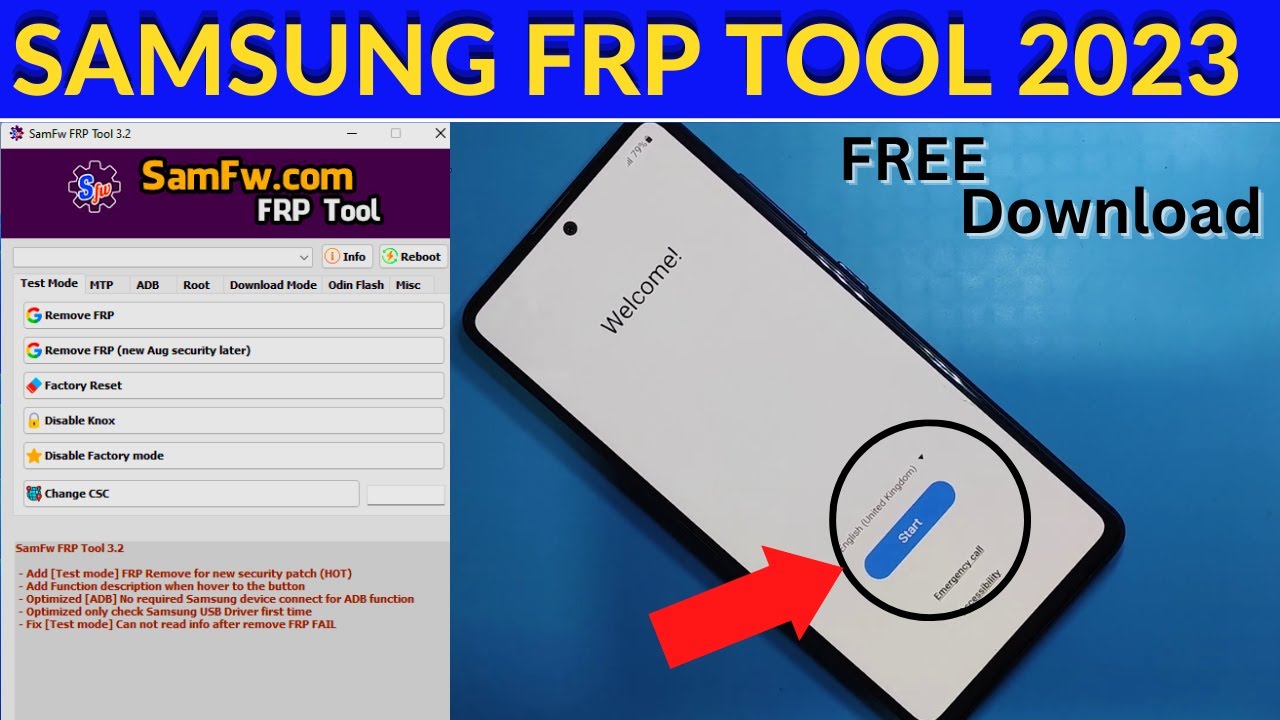
SamFw Tool is a free and simple tool that can bypass FRP on older Samsung models, particularly those running Android 8 and below. It can also download and flash the latest firmware for your Samsung device. It has a straightforward interface that makes it easy to navigate even for tech beginners.
What is the free software to remove Google FRP?
GSM Flasher ADB Bypass FRP Tool GSM Flasher ADB Bypass FRP Tool helps in removing the Google FRP lock on your android smart device by using the ADB (Android Debug Bridge) mode. By using ADB, it lets you communicate with your device and perform multiple functions like installing apps or debugging the device.
Which tool is best for Samsung FRP?
The best Samsung FRP bypass tool for PC is Tenorshare 4uKey for Android. It is a safe, reliable, and easy Samsung FRP tool that seamlessly removes the FRP Lock from your Samsung device in minutes.
Do FRP removal tools work?
Best FRP Bypass Tool – iMyFone LockWiper (Android) The tool is user-friendly and provides detailed simple steps to guide you to finish the FRP bypass process. With iMyFone LockWiper FRP bypass files, you can bypass FRP in 5 minutes and regain access to your phone with a 98% success rate.
Is it possible to bypass FRP lock in Samsung?
The first method to FRP bypass Samsung is by using a professional Android unlocking tool like DroidKit – Android Phone Toolkit. It is a complete Android device toolkit that helps bypass FRP lock on Samsung safely and securely.
Is there a free FRP unlock tool on Samsung?
SamFw Tool is a free and simple tool that can bypass FRP on older Samsung models, particularly those running Android 8 and below. It can also download and flash the latest firmware for your Samsung device. It has a straightforward interface that makes it easy to navigate even for tech beginners.
What is the best Frp bypass tool for PC download for free?
When it comes to bypassing FRP locks, Tenorshare Samsung FRP Tool truly shines as the best FRP bypass tool for PC. It effortlessly bypasses Google FRP on many devices without breaking a sweat, like Samsung, Xiaomi, Redmi, Vivo, OPPO, Realme, Oneplus, Huawei and Motorola.
Can Odin remove FRP?
Yes, of course. Odin FRP bypass is a common way for users to do that. It is a Windows-based software by Samsung designed to root Samsung phones, installing firmware updates and kernels on Android devices.
What is the Samsung FRP code?
The Samsung Factory Reset Protection (FRP) code serves as a security measure to safeguard a device against unauthorized access following a factory reset. Typically, users need to input the credentials of the Google account linked to the device for ownership verification.
Is there a free alternative to DroidKit frp?
Part 2. Best Droidkit Alternative to Remove Android FRP Lock. If you are looking for DroidKit alternative, we recommend iMyFone LockWiper (Android) as the best one. This is a Windows-based software that will assist you in removing FRP as well as all screen locks from your Android device.
Does factory reset remove FRP?
In this case, the FRP will prevent anyone from restoring the device without entering the Google account password (password of any Google account previously signed in with will be sufficient) or without entering the PIN in case set by the user as well. Even a recovery mode factory reset will not do the job.
Is it possible to remove Google FRP lock?
Yes, it is possible to remove Google lock, also known as Factory Reset Protection (FRP) lock, from a device. You can use LockWiper (Android) to remove Google lock on Android devices, even if you don’t have password.
Does flashing firmware remove FRP?
FRP is a security feature that is designed to prevent unauthorized users from accessing your device after it has been factory reset. Can flash remove FRP? Yes, flashing can remove FRP. However, it is important to note that flashing your device can be dangerous and can brick your device if it is not done correctly.
What causes FRP lock in Samsung?
If the Google FRP is enabled, you will need to enter your Google account credentials before you can do a factory reset on the device. If your device has been lost or stolen, and has been Factory Data Reset in an untrusted environment, this will trigger the FRP lock.
Is it possible to remove Google FRP lock?
Yes, it is possible to remove Google lock, also known as Factory Reset Protection (FRP) lock, from a device. You can use LockWiper (Android) to remove Google lock on Android devices, even if you don’t have password.
Is the GSM flasher tool free?
GSM FRP Tool works with all Android versions, from Android 5.0 to 12.0. It’s absolutely free to download.
Is there a free alternative to DroidKit FRP?
Part 2. Best Droidkit Alternative to Remove Android FRP Lock. If you are looking for DroidKit alternative, we recommend iMyFone LockWiper (Android) as the best one. This is a Windows-based software that will assist you in removing FRP as well as all screen locks from your Android device.
What is the secret code to unlock Samsung phone?
Simply swipe up on your locked screen, then tap the Emergency Call icon on the next screen. After that, dial either ##7780## or 27673855#. Ensure the code is correct, then press the Call button. The unlock process will start automatically.
Is there a free app to unlock my phone?
LockWiper (Android) can help you remove all kinds of screen locks e.g. pattern lock, PIN, face lock, password, etc. The screen lock removal success rate of this tool is very high and the best thing about it is that there is no data loss when you remove screen lock via LockWiper (Android).
Is pangu FRP bypass free?
Pangu FRP bypass tool is free and works on older Android versions.
How do I get rid of custom binary blocked by FRP?
Fix Custom Binary Blocked by FRP Lock via Factory Reset If you have restarted your device but still found it is blocked by FRP lock, then you can try to factory reset your phone. A factory reset with recovery mode on your phone is also useful to bypass/remove the FRP Lock error.
Does Google pixel have FRP?
Google Pixel FRP is an extra security feature used to protect your Pixel phone. This feature was established by Google and tucked into all Android phones running on Android 5.0 up to date.
Can I flash Odin without unlocking bootloader?
No, you can’t do that. When you have not unlocked the bootloader the android system will not accept the files being flashed using Odin.
Is it possible to remove FRP?
You can also learn the steps on how to remove FRP lock/Google account via LockWiper Android. Step 1: Install the iMyFone LockWiper Android on your computer. Select the mode “Remove Google Lock (FRP)”. Click “Start” to begin the process.
Does Odin mode delete files?
None of your internal storage files i.e. Photos, Music, Videos, Docs etc., will not be removed until you do a repartition of the device using Odin. Your phone will be restored to perfect condition; just that all your personal information will be gone such as contacts that were on the phone storage and apps.
Is there a free FRP removal tool?
GSM Flasher ADB Bypass FRP Tool GSM Flasher ADB Bypass FRP Tool helps in removing the Google FRP lock on your android smart device by using the ADB (Android Debug Bridge) mode. By using ADB, it lets you communicate with your device and perform multiple functions like installing apps or debugging the device.